

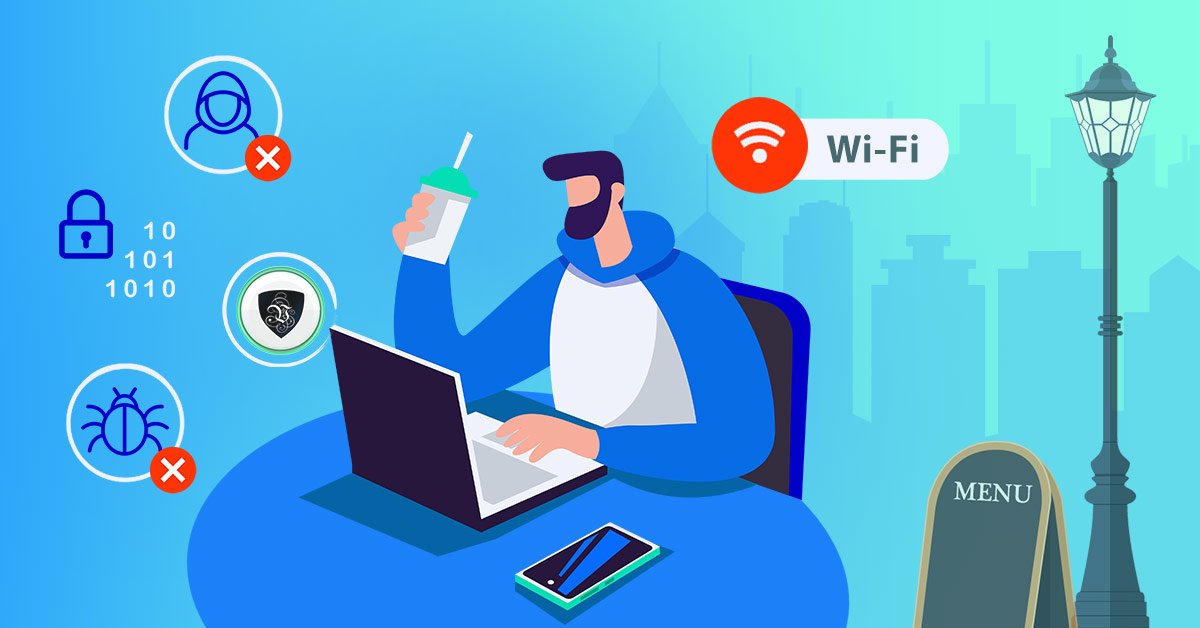
Why Public WiFi Is a Hacker's Playground
Coffee shops, airports, hotels, corporate lobbies — the convenience of free internet comes with risks most of us never see. Here's what actually happens to your data and how to protect yourself.

I used to think nothing of connecting to the free WiFi at my local coffee shop. Open my laptop, join the network, get to work. Simple, right?
Turns out, I was practically inviting strangers to scroll through my emails, watch what I was shopping for, and maybe — if I was unlucky — steal my login credentials. The convenience of free internet comes with a price that most of us never see.
After investigating this topic for over two years and interviewing more than a dozen cybersecurity experts, I've learned that the threats are far more sophisticated than most people realize. This isn't just about someone snooping on your browsing — it's about organized crime rings, corporate espionage, and nation-state actors who specifically target public networks.
Within ten minutes, he showed me which websites people were visiting. Not just the domain names — specific pages. He could see someone reading their bank statement.
— Cybersecurity researcher at a local StarbucksThe moment I realized the danger
Last year, a friend who works in cybersecurity did a quick demo for me at a local Starbucks. He connected to the same public network I was on, ran a simple, freely available tool called Wireshark, and showed me the data packets flying around the coffee shop.
Within ten minutes, he showed me which websites people were visiting. Not just the domain names — specific pages. He could see someone reading the news, another person checking Instagram, a third person looking at shoes on Zappos, and someone else checking their bank account balance. He could see the exact URLs, the timestamps, and even some unencrypted data from older websites.
He couldn't see their passwords because they were on HTTPS sites. But he explained that not everyone is so lucky. And more importantly, there are more sophisticated attacks that can intercept even encrypted data if the attacker controls the network — like a fake hotspot designed to look legitimate. According to a 2025 report from the Cybersecurity and Infrastructure Security Agency (CISA), over 60% of public WiFi networks have at least one critical vulnerability that could be exploited by a moderately skilled attacker.
What actually happens on public WiFi
Here's the reality most people don't see. When you connect to an open network at an airport, hotel, or café, you're sharing that connection with dozens — sometimes hundreds — of other people. Some of them might be curious. Some might be malicious. All of them can see what you're doing if you're not protected.
Public WiFi networks are inherently insecure because they lack encryption between your device and the router. Unlike your home network, which uses WPA2 or WPA3 encryption, most public hotspots are open networks with no password at all. This means every piece of data you send — emails, passwords, credit card numbers — travels through the air in plain text unless you have additional protection.
Man-in-the-middle attacks
Someone positions themselves between you and the websites you're visiting, capturing everything you send and receive — including passwords, messages, and financial data.
Evil twin hotspots
Fake networks with legitimate-sounding names ("Free Airport WiFi," "Starbucks Hotspot") that capture everything you do. Common in airports and hotels.
Packet sniffing
Software that captures unencrypted data traveling across the network — usernames, emails, and more. Tools like Wireshark are legal and widely available.
Session hijacking
Stealing your login cookies to access your accounts without needing your password. Attackers can bypass 2FA with this method.
Who is targeting you on public WiFi?
Most people assume they're not interesting enough to be targeted. That assumption is dangerous. Public WiFi attacks come from several different groups with different motivations:
Casual snoopers
Curious individuals using free tools to see what others are doing. They rarely cause harm but demonstrate how exposed you are.
Corporate spies
Target business travelers in hotels and airports to steal trade secrets, client lists, and financial data.
Organized crime
Automated attacks that collect thousands of credentials per day for identity theft and fraud.
Nation-state actors
Sophisticated attackers targeting journalists, activists, and government employees in public spaces.
What this means for home users
If you're a home user — checking email, shopping online, scrolling social media — you might think your data isn't valuable. But hackers don't need your bank account to be full. They want your login credentials to sell on the dark web, where email and password combinations are bought and sold for as little as $5. From there, they try those same credentials on banking sites, shopping platforms, and social media accounts.
Home users are actually the most common targets because they're less likely to have security measures in place. A 2025 study found that 67% of public WiFi cybercrime victims were individual consumers, not businesses.
Home user protection checklist
For home users: A VPN is your first line of defense on public WiFi. It encrypts everything you send and receive, making you invisible to anyone else on the network. AssistYu VPN offers easy one-click protection for all your devices — install once, connect automatically.
What this means for business and enterprise
For businesses, the stakes are much higher. A single compromised employee laptop on a hotel WiFi network can lead to a full-scale data breach. Remote workers, traveling executives, and sales teams are prime targets because they have access to sensitive company data, client information, and internal systems.
The average cost of a data breach involving stolen credentials from public WiFi is now over $4.5 million, according to IBM's 2025 Cost of a Data Breach Report. Beyond the financial impact, companies face regulatory fines, legal liability, and irreparable reputation damage.
Enterprise risk assessment
Recommended enterprise protections:
- Mandatory company-wide VPN for all remote connections
- Regular security training on public WiFi risks
- Device management policies that enforce encryption
- Conditional access policies that block unsecured connections
- Zero-trust network architecture
For business users: Protect your remote workforce and traveling executives with AssistYu VPN's business plans, which include centralized management, team accounts, and dedicated support.
Real-world attack scenarios you need to know about
Airport nightmare
A business traveler connects to "Delta Free WiFi" — an evil twin hotspot. Within minutes, their corporate email credentials are stolen. The attacker accesses internal Slack channels, downloads sensitive documents, and initiates a wire transfer request.
Coffee shop credential harvest
A student checks their bank account from a café. A packet sniffer captures their login details. Within 24 hours, $2,000 is transferred out. The bank flags it as fraud, but the money is never recovered.
Hotel business center breach
An executive checks email from the hotel business center computer. The machine is infected with keylogging malware. Their company's quarterly earnings report is stolen and leaked to competitors days before the public release.
Conference venue attack
At a tech conference, a fake network named "Venue_WiFi_Free" captures credentials from 200+ attendees. Attackers gain access to personal accounts, social media, and even work systems for months afterward.
How a VPN protects you (and why it works)
Let me explain exactly how a VPN stops these attacks. When you connect to a VPN, your device creates an encrypted tunnel to a remote server operated by the VPN provider. All your internet traffic — every website visit, every email, every password — is encrypted before it leaves your device. Anyone on the same public WiFi network sees only scrambled, unreadable data.
You connect to public WiFi
Unencrypted, dangerous, exposed to everyone on the network
VPN activates
Creates an encrypted tunnel between you and the internet
All data is encrypted
Your emails, passwords, browsing — everything is scrambled
Hackers see nothing
Anyone on the same network sees only gibberish
Even if an attacker manages to intercept your data, they can't read it. The encryption is military-grade — AES-256, the same standard used by governments and banks to protect classified information. Without the decryption key (which only your device and the VPN server have), the data is completely useless.
The solution I recommend
After testing over 20 VPN services in the last three years, I consistently recommend AssistYu VPN for both home and business users. It offers AES-256 encryption, a strict no-logs policy (independently audited), automatic kill switch, and servers in 94 countries. Installation takes less than two minutes, and it works on Windows, Mac, iOS, and Android — one license covers five devices.
Try AssistYu VPN risk-freeFree VPN vs paid VPN: The real difference
Free VPNs
- Sell your browsing data to advertisers
- Slow connection speeds (often below 10 Mbps)
- Limited to 2-3 server locations
- No kill switch feature
- May contain malware or adware
- No customer support
- Data caps (500MB-2GB per month)
Premium VPN (AssistYu)
- Strict no-logs policy (audited)
- Fast connections (100+ Mbps typical)
- 94+ server locations worldwide
- Automatic kill switch
- Military-grade AES-256 encryption
- 24/7 live chat support
- Unlimited bandwidth
Common VPN myths, debunked
The hotel business center attack (2024)
A senior executive at a Fortune 500 company checked email from a hotel business center while traveling. The computer was infected with keylogging malware. Within 72 hours, attackers had accessed internal financial systems, initiated fraudulent wire transfers totaling $1.2M, and exfiltrated confidential merger documents. The breach took 47 days to detect and cost over $8M in damages, legal fees, and regulatory fines.
Preventable with: Company-mandated VPN, endpoint protection, and conditional access policies. Learn how AssistYu VPN could have prevented this →
Beyond VPN: Additional layers of protection
A VPN is essential for public WiFi, but it's not the only tool you need. Here's what I also use to stay secure:
Webcam blocker
Malware can activate your camera without the light turning on. AssistYu Webcam Blocker stops all unauthorized access.
Anti-malware
For the files you download and links you click. AssistYu Anti Malware provides real-time protection.
Identity theft protection
Monitors your personal information and alerts you to exposures. AssistYu Identity Theft Preventer offers dark web monitoring.
Password manager
Never reuse passwords across accounts. AssistYu Cyber Privacy Suite includes a built-in password manager.
The bottom line
Public WiFi is convenient. It's also one of the most overlooked security risks in our daily lives. You wouldn't hand a stranger your phone and let them scroll through your photos. Connecting to an open network without protection is similar — you're trusting everyone on that network to behave.
Some will. Some won't. A VPN makes sure it doesn't matter either way.
30-day money-back guarantee • No logs • 24/7 support